
21Scanned3Connected17Safe
At a glance
A useful summary first.
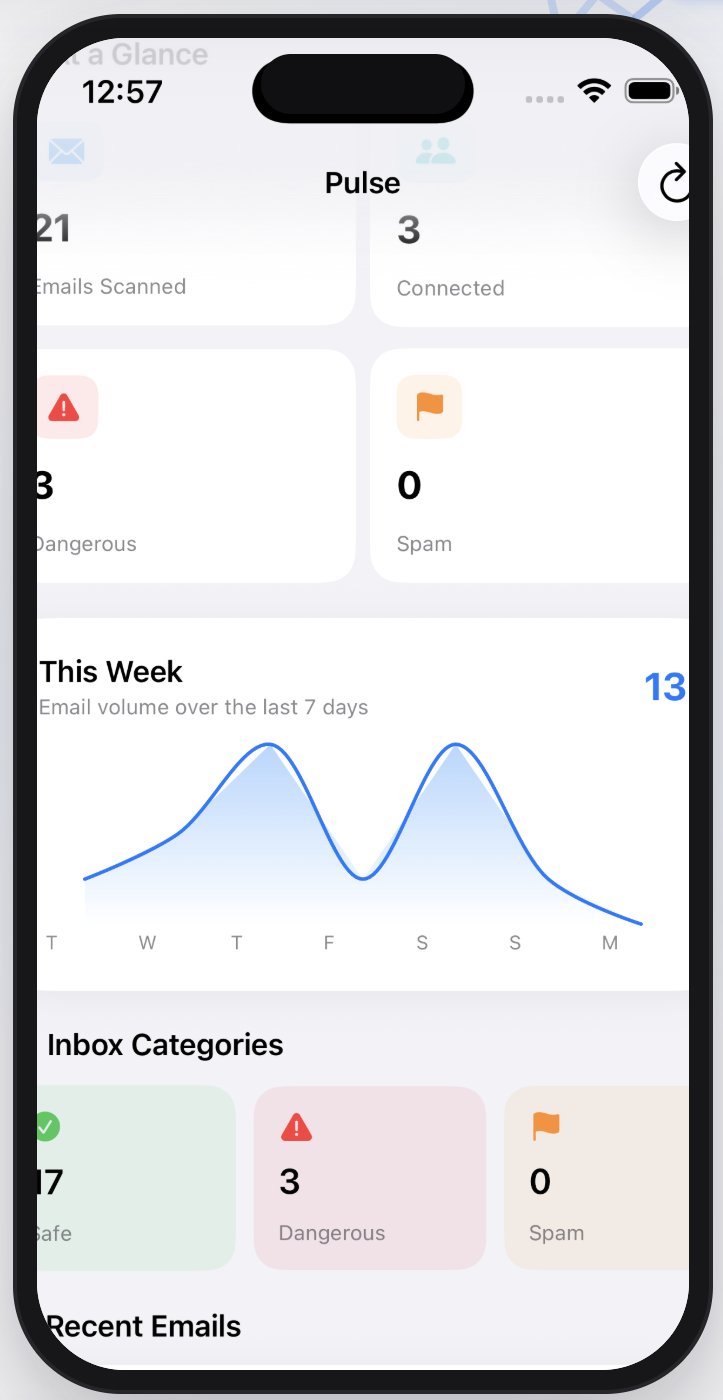
See account totals and recent security categories without digging through complicated dashboards.
Email security, simplified
Pulse helps you review connected email accounts for signals associated with phishing, impersonation, and suspicious messages—using clear, refresh-based scans that you control.
*Microsoft 365 access depends on organizational policy and may require administrator approval.
Pulse uses the same simple hierarchy throughout: a clear summary, understandable categories, and the details when you need them.
See account totals and recent security categories without digging through complicated dashboards.
Simple visual trends help you understand changes across the accounts you connect.
Each category uses familiar, focused color so the interface stays readable and calm.
Connected account support
Pulse currently supports personal Gmail, Outlook, and Hotmail accounts, plus Microsoft 365 accounts where organizational policy allows access.
GmailPersonal accounts
SupportedOutlook & HotmailPersonal Microsoft accounts
SupportedMicrosoft 365When organizational policy permits
Policy dependentWhat Pulse helps you do
Focused tools for reviewing suspicious activity—without pretending any automated signal is perfect.
Reviews sender, subject, and available preview text for signals associated with phishing, impersonation, urgency, and suspicious behavior.
Brings alerts from the accounts you connect into one organized activity feed.
Explains why something may deserve attention instead of only showing a vague warning.
You decide which supported accounts to connect and when to disconnect them.
Pulse requests the account permissions needed for the features it currently provides.
Mark findings as resolved and keep a clearer history of what you have reviewed.
Pulse provides risk signals and review assistance. It does not guarantee that any message is safe or malicious, and it is not a replacement for a professional security product.
How it works
Choose a supported email account you want Pulse to review.
Pulse securely requests the account permissions required for its current features.
Sender, subject, and preview signals are analyzed on your iPhone and organized into clear findings.
Understand what needs attention, then mark findings as resolved when you are ready.
Pulse provides risk signals and assistance—not absolute guarantees that an email is safe or malicious.
Privacy by intention
You choose which supported accounts to connect and when to disconnect them. Sender, subject, timestamp, and available preview signals are analyzed on your iPhone—not on a Pulse server.
Read the Privacy PolicyRead-only accessPulse cannot send, change, or delete messages in your mailbox.
On-device analysisMailbox data is not sent to a Pulse backend.
Direct deletion controlsDisconnect inboxes or erase all local Pulse data in Settings.
Built with purpose
Pulse is developed by JalenKidd, a student cybersecurity developer building practical security and educational technology projects. The goal is simple: make useful security signals feel clear, calm, and actionable.
Pulse is coming soon
Review the policies, explore how Pulse works, or reach out with a question before launch.